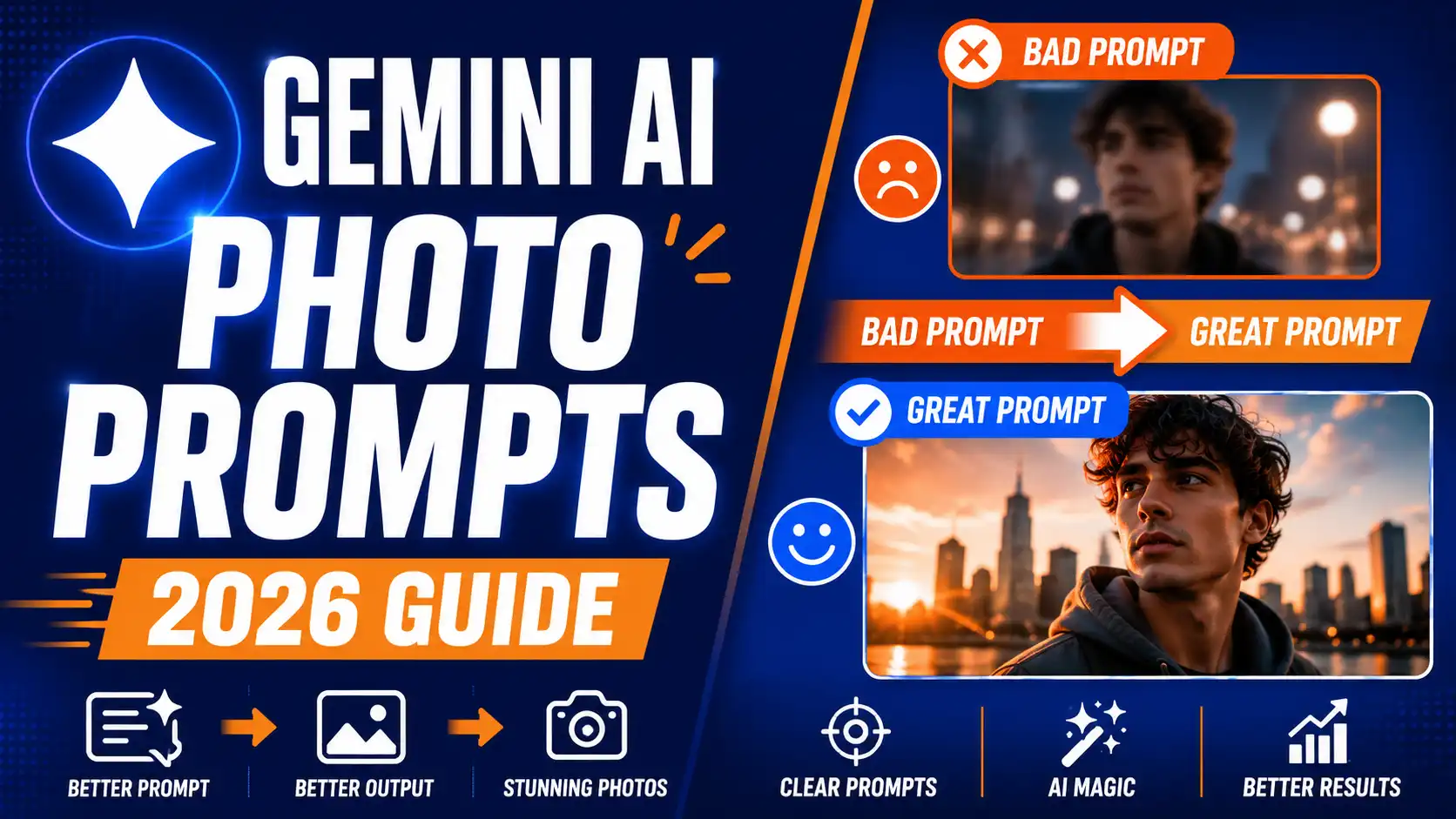
मैंने जब पहली बार Gemini से photo बनाने की कोशिश की थी तब बहुत निराश हुआ था। बस एक साधारण prompt लिखा “एक सुंदर पहाड़ी गांव” और जो result आया वो बिल्कुल फीका और बिना जान का था।
faces blurry थे, lighting सही नहीं थी और पूरा scene random लग रहा था। फिर मैंने धीरे धीरे prompt लिखने का तरीका सीखा। आज मैं रोज Gemini Imagen 3 से ऐसी photos बनाता हूं जो लोग real समझ लेते हैं।
Gemini बाकी tools से अलग इसलिए है क्योंकि ये Google का latest Imagen 3 model यूज करता है। ये model real world knowledge बहुत अच्छे से समझता है।
DALL-E और Midjourney की तुलना में Gemini नए users के लिए सबसे आसान और powerful है। DALL-E में text rendering अच्छा है लेकिन artistic depth कम है। Midjourney artistic images में king है लेकिन beginners के लिए Discord interface मुश्किल लगता है।
Gemini में आप हिंदी में भी prompt लिख सकते हो और result बहुत natural आता है। Imagen 3 model की सबसे बड़ी खासियत ये है कि ये faces, hands और complex scenes को पहले से बेहतर तरीके से handle करता है।
lighting natural लगती है और colors life जैसी दिखती हैं। मैंने सैकड़ों prompts ट्राई किए हैं और अब आपको वो सारी tricks बताने वाला हूं जो मैंने सीखी हैं।
Perfect AI Photo Prompt Ka Secret Formula Structure
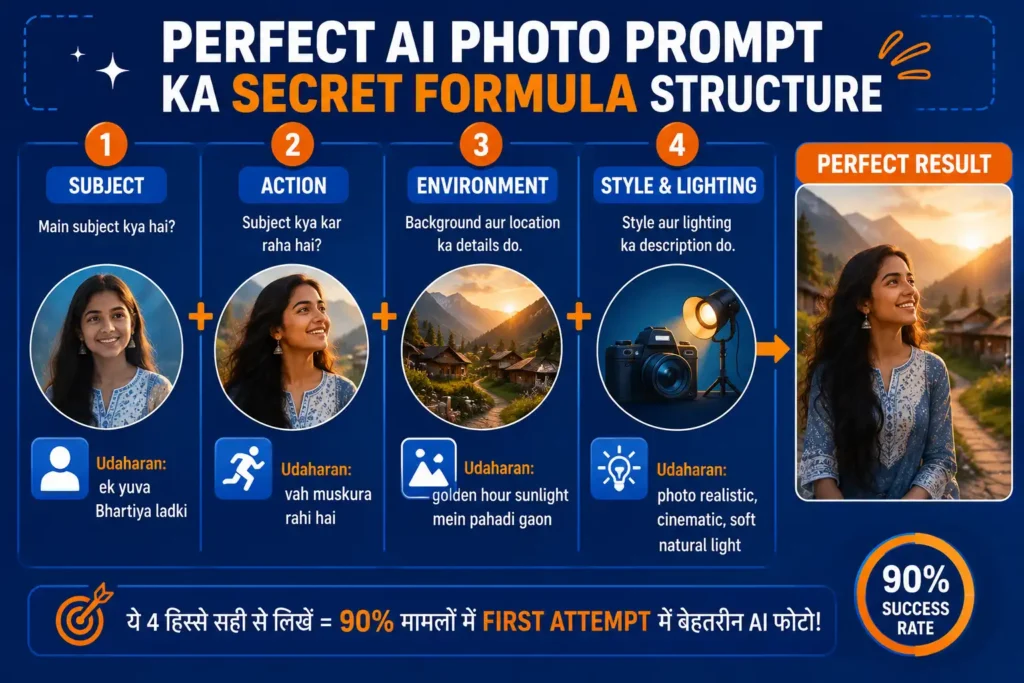
मैं हमेशा एक fixed structure फॉलो करता हूं जब Gemini को photo prompt देता हूं। ये structure चार मुख्य हिस्सों में बंटा होता है। पहला हिस्सा subject है। इसमें बताओ कि photo में मुख्य चीज क्या है।
उदाहरण के लिए एक युवा भारतीय लड़की, पुराना मंदिर या futuristic car। दूसरा हिस्सा action है। subject क्या कर रहा है ये साफ लिखो। जैसे वह मुस्कुरा रही है, ध्यान लगा रही है या सड़क पर चल रही है।
तीसरा हिस्सा environment है। background और location का पूरा विवरण दो। जैसे golden hour sunlight में पहाड़ी गांव, busy market street या calm beach at sunset। चौथा हिस्सा style और lighting है। यहां बताओ कि photo realistic होनी चाहिए या cartoon, oil painting, cinematic।
lighting के बारे में भी लिखो जैसे soft natural light या dramatic shadows। ये चारों हिस्से अगर सही से लिखे जाएं तो Gemini हर बार बेहतरीन result देता है। मैंने इस formula को सैकड़ों बार टेस्ट किया है और 90 प्रतिशत cases में first attempt में अच्छी photo आ जाती है।
Hindi Se English Prompt Kaise Convert Karein
मैंने देखा है कि बहुत से भारतीय users English में अच्छा prompt नहीं लिख पाते। Gemini फिर भी हिंदी समझ लेता है लेकिन English prompts में result ज्यादा sharp आता है। अगर आपकी English कमजोर है तो एक आसान trick यूज करो।
Gemini से खुद prompt लिखवाओ। बस लिख दो “मुझे एक सुंदर पहाड़ी गांव की realistic photo के लिए detailed English image generation prompt लिख कर दो”। Gemini पूरा descriptive prompt English में दे देगा। फिर उसी prompt को copy करके image generation में पेस्ट कर दो।
मैं इसे recursive prompting कहता हूं। पहले Gemini से prompt बनवाओ फिर उस prompt से photo बनवाओ। ये तरीका beginners के लिए बहुत helpful है। आप हिंदी में अपनी idea लिखो और Gemini को English version बनाने को कहो। इस ट्रिक से मैंने कई वायरल thumbnails बनाए हैं।
Photo Quality Badhane Wale Magic Keywords
मैं हर prompt में कुछ magic keywords जरूर ऐड करता हूं जो quality को कई गुना बढ़ा देते हैं। lighting के लिए golden hour, cinematic lighting, soft natural light, dramatic sunset, neon glow जैसे शब्द बहुत काम करते हैं। style के लिए photorealistic, 8K resolution, highly detailed, sharp focus, ultra realistic, 3D render, oil painting, anime style यूज करो।
camera angles के लिए drone view, close up portrait, wide angle shot, low angle, overhead view लिखो। ये keywords Gemini को साफ निर्देश देते हैं कि कैसी photo चाहिए। मैंने एक बार सिर्फ “photorealistic 8K” ऐड करके देखा तो quality में बहुत फर्क पड़ा। अब मैं हर prompt में कम से कम तीन magic keywords जरूर डालता हूं।
Gemini AI Photo Prompt Magic Keywords Table
| Category | Best Keywords to Use |
|---|---|
| Lighting | Golden hour, cinematic lighting, soft natural light, dramatic sunset, neon glow |
| Quality | Photorealistic, 8K resolution, highly detailed, sharp focus, ultra realistic |
| Style | 3D render, oil painting, anime style, cinematic, vintage film |
| Camera Angle | Drone view, close up portrait, wide angle shot, low angle, overhead view |
Gemini Upload Image Feature Ka Use Kaise Karein
Gemini का upload image feature बहुत powerful है। मैं इसे reverse engineering के लिए यूज करता हूं। कोई भी photo upload करो और Gemini से पूछो “इस photo का detailed prompt लिख कर दो”। Gemini पूरा prompt निकाल देगा। फिर आप उस prompt में बदलाव करके नई photo generate कर सकते हो।
दूसरा तरीका reference image के रूप में यूज करना है। अपनी photo upload करके लिखो “इस व्यक्ति को red traditional saree में Taj Mahal के सामने खड़ा कर दो”। Gemini reference face को maintain करके नई image बना देगा। ये feature faces consistent रखने में सबसे अच्छा काम करता है।
मैंने अपनी पुरानी photos को reference बनाकर पूरी series बनाई है। upload feature से आप अपनी creativity को और बढ़ा सकते हो।
Common Mistakes Gemini Photo Kyun Nahi Banata Policy Fixes
मैंने शुरुआत में कई बार error देखा था। सबसे आम error था “I can’t generate images of people”। इसका असली कारण sensitive content filters हैं। Gemini celebrities, violence या adult content नहीं बनाता। safe words यूज करके इस समस्या को कम कर सकते हो।
उदाहरण के लिए “young woman” लिखो बजाय “girl” के। “person in traditional attire” लिखो बजाय specific celebrity नाम के। मैंने सीखा है कि abstract या general terms यूज करने से filter कम trigger होता है। अगर photo नहीं बन रही तो prompt को simplify करो और negative elements हटा दो। policy fixes से 80 प्रतिशत errors solve हो जाते हैं।
Top 5 Viral Prompts For 2026 Copy Paste Ready
मैंने 2026 में जो prompts सबसे ज्यादा वायरल हुए उन्हें यहाँ share कर रहा हूं। पहला prompt social media 3D avatar के लिए है। “cute 3D avatar of a young Indian woman with long wavy hair, wearing modern ethnic fusion dress, smiling, clean white background, highly detailed, 8K, trending on Instagram”। दूसरा Indian festival realistic scene के लिए।
“realistic photo of Indian family celebrating Diwali at home, diyas lighting, rangoli on floor, happy faces, warm golden lighting, photorealistic, 8K”। तीसरा future city cyberpunk India के लिए। “cyberpunk Mumbai at night, flying cars, neon signs in Hindi and English, rainy streets, cinematic lighting, ultra realistic, 8K”। चौथा professional LinkedIn headshot के लिए।
“professional LinkedIn headshot of a confident Indian man 30 years old, wearing navy blue suit, soft studio lighting, friendly smile, sharp focus, photorealistic”। पांचवां imaginary product logo design के लिए।
“modern minimalist logo for organic Indian spices brand, wooden texture background, warm earthy tones, clean vector style, high resolution”। ये prompts copy paste करके आप सीधे ट्राई कर सकते हो।
FAQs
Kya Gemini se banayi photo copyright free hai?
हां Gemini से बनाई गई photos पर आपका अधिकार होता है। आप इन्हें personal और commercial दोनों तरह से इस्तेमाल कर सकते हो। लेकिन Google के terms of service जरूर पढ़ लें।
Kya hum celebrities ki photo bana sakte hain?
नहीं। Gemini celebrities या real famous लोगों की exact likeness नहीं बनाता। filters की वजह से ये blocked रहता है। general description यूज करें।
Kya Gemini free mein unlimited photos bana sakta hai?
नहीं। free account में daily limit है। Gemini Advanced subscription लेने पर ज्यादा generations मिलते हैं।
Kya Gemini Hindi prompt अच्छे से समझता है?
हां Gemini हिंदी prompt को अच्छे से समझता है लेकिन English keywords मिलाकर लिखने से result और बेहतर आता है।
Kya upload ki hui photo se better result milta hai?
हां reference image upload करके आप faces और style को consistent रख सकते हो। ये feature बहुत helpful है।
दोस्तों मैंने आपको Gemini AI photo prompt लिखने का पूरा तरीका बता दिया है। अब आप भी इस formula को फॉलो करके stunning photos बना सकते हो। practice सबसे जरूरी है। रोज कुछ नया prompt ट्राई करो। Gemini Imagen 3 model 2026 में बहुत powerful है।
सही prompt से आप professional level images बना सकते हो। आज ही Gemini खोलो और अपना पहला detailed prompt लिखकर देखो। result देखकर आपको खुद पर गर्व होगा। अगर कोई prompt share करना हो या doubt हो तो मुझे बताना।
About The Author